 Jif Chat Agent Skill

讓 Agent 與 JifChat 合作,解鎖 AI 生成潛力Generate images & videos in your agent with JifChat
安裝 JifChat skill,讓 AI agent 直接用無限畫布幫你生圖、生影片。
-
複製這段文字給你的 Agent
貼進 Hermes 的對話。它會自己安裝 JifChat skill,接著跟你要 API Key。
You are about to give your user the ability to generate and refine images and videos through JifChat — every result lands in their JifChat infinite canvas, editable anytime. 1. Install the JifChat skill. Run: npx skills add JifChat/skills On Hermes, `hermes skills install JifChat/skills` also works. If neither works, copy the `jifchat/` folder from https://github.com/JifChat/skills into `~/.hermes/skills/jifchat` (keep `SKILL.md` and `references/` together). From now on, apply the skill whenever the user asks to generate, edit, or refine images, video, or audio. 2. Connect the user's JifChat account. If you do not already hold a `JIFCHAT_API_KEY`, ask the user for their JifChat API key (`jc_...`) — they can find it in JifChat under Settings → Balance → API Keys (shown once at creation). Store it per your harness's secret convention (environment variable or key store). Never echo the key into chat or write it to any file the user didn't ask for. 3. Verify and report ready. Call `GET {{ORIGIN}}/api/v1/canvas/projects` with the key — a 200 means connected (report the project count; skip credit info unless `GET /api/v1/canvas/balance` also exists). From now on, any generation request routes through JifChat following the skill: results are delivered in chat together with a canvas link the user can open anytime to edit, re-run, or chain into video. -
建立 JifChat API Key
登入 JifChat,到 設定 → 餘額 → API Keys 按「建立」,把 Key 貼給 agent。Key 只會顯示一次,agent 會替你妥善保存。
前往 JifChat -
開始創作
Agent 回報「已就緒」後,在 Hermes 的對話(Telegram、終端機都可以)直接說出你想要什麼。
用 JifChat 幫我做一支 5 秒的影片:手搖飲在冰塊中緩緩旋轉,16:9
-
複製這段文字給你的 Agent
貼進 Claude Code 的對話。它會自己安裝 JifChat skill,接著跟你要 API Key。
You are about to give your user the ability to generate and refine images and videos through JifChat — every result lands in their JifChat infinite canvas, editable anytime. 1. Install the JifChat skill. Run: npx skills add JifChat/skills If that fails, copy the `jifchat/` folder from https://github.com/JifChat/skills into `~/.claude/skills/jifchat` (keep `SKILL.md` and `references/` together). From now on, apply the skill whenever the user asks to generate, edit, or refine images, video, or audio. 2. Connect the user's JifChat account. If you do not already hold a `JIFCHAT_API_KEY`, ask the user for their JifChat API key (`jc_...`) — they can find it in JifChat under Settings → Balance → API Keys (shown once at creation). Store it per your harness's secret convention (environment variable or key store). Never echo the key into chat or write it to any file the user didn't ask for. 3. Verify and report ready. Call `GET {{ORIGIN}}/api/v1/canvas/projects` with the key — a 200 means connected (report the project count; skip credit info unless `GET /api/v1/canvas/balance` also exists). From now on, any generation request routes through JifChat following the skill: results are delivered in chat together with a canvas link the user can open anytime to edit, re-run, or chain into video. -
建立 JifChat API Key
登入 JifChat,到 設定 → 餘額 → API Keys 按「建立」,把 Key 貼給 agent。Key 只會顯示一次,agent 會替你妥善保存。
前往 JifChat -
開始創作
Agent 回報「已就緒」後,在同一個對話直接說出你想要什麼。
幫我生一張柴犬戴太空頭盔的商品照,棚拍柔光
-
複製這段文字給你的 Agent
貼進 Grok Bot 的對話。它會自己安裝 JifChat skill,接著跟你要 API Key。
You are about to give your user the ability to generate and refine images and videos through JifChat — every result lands in their JifChat infinite canvas, editable anytime. 1. Install the JifChat skill. Run: npx skills add JifChat/skills If that fails, copy the `jifchat/` folder from https://github.com/JifChat/skills into `~/.grok/skills/jifchat` (keep `SKILL.md` and `references/` together). From now on, apply the skill whenever the user asks to generate, edit, or refine images, video, or audio. 2. Connect the user's JifChat account. If you do not already hold a `JIFCHAT_API_KEY`, ask the user for their JifChat API key (`jc_...`) — they can find it in JifChat under Settings → Balance → API Keys (shown once at creation). Store it per your harness's secret convention (environment variable or key store). Never echo the key into chat or write it to any file the user didn't ask for. 3. Verify and report ready. Call `GET {{ORIGIN}}/api/v1/canvas/projects` with the key — a 200 means connected (report the project count; skip credit info unless `GET /api/v1/canvas/balance` also exists). From now on, any generation request routes through JifChat following the skill: results are delivered in chat together with a canvas link the user can open anytime to edit, re-run, or chain into video. -
建立 JifChat API Key
登入 JifChat,到 設定 → 餘額 → API Keys 按「建立」,把 Key 貼給 agent。Key 只會顯示一次,agent 會替你妥善保存。
前往 JifChat -
開始創作
Agent 回報「已就緒」後,在同一個對話直接說出你想要什麼。
用 JifChat 幫我做一張中秋節賀卡,一家人在月光下賞月,直式 4:5
試試這樣說
從無限畫布範本開始。複製指令貼給你的 agent,它會用範本建好一個新的畫布專案。
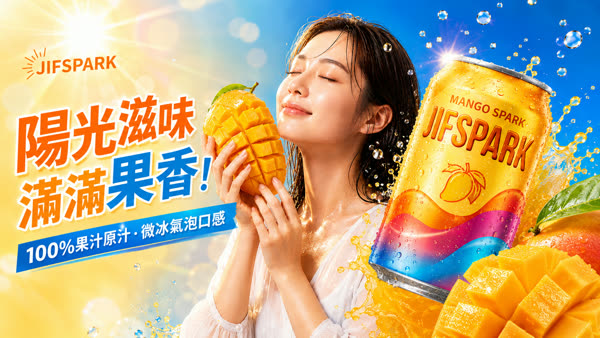
社群媒體貼文設計
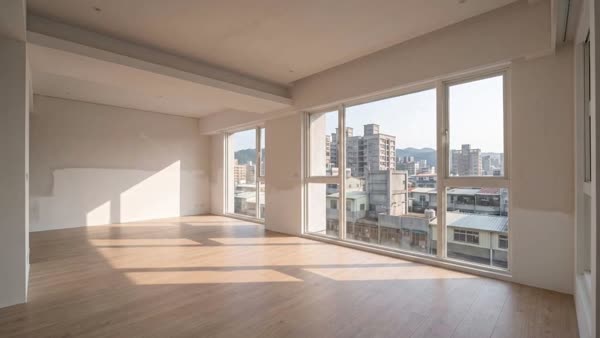
前後效果對比
Agent 能做什麼
Agent 能自主使用 JifChat 無限畫布,替你完成複雜的圖片和影片生成工作。你只要說出想要什麼,它會挑模型、串流程、跑完生成,把作品整理在畫布上等你驗收。
設計完整工作流
根據你的指令和參考影片,在畫布上搭好從腳本、分鏡到成片的整條生成流程,一次跑完,之後也能重複使用。
一句話生圖
商品照、海報、社群貼文,附上參考圖就能做出符合品牌的素材。
- Nano Banana Pro
- GPT Image
作品自動進畫布
每張圖、每支影片都放在你的無限畫布,隨時回來改、換模型重跑。
生成影片
文字生影片、圖片生影片、參考生影片,主流影片模型一次到位。
- Seedance 2.5 Text-to-Video
- Seedance 2.5 Image-to-Video
- Seedance 2.5 Reference-to-Video
- Grok Image-to-Video
常見問題
支援哪些 AI agent?
目前支援 Hermes、Claude Code 和 Grok Bot。其他能讀取 OpenAPI 文件的 agent,也可以直接讀 llms.txt 學會使用 JifChat。
可以用哪些模型?
圖片有 Nano Banana Pro 和 GPT Image;影片有 Seedance 2.5 和 Grok,共 5 種模式,涵蓋文字生影片、圖片生影片和參考生影片。沒指定時,agent 會用 Nano Banana Pro 生圖、Seedance 2.5 生影片。
生成一次要多少點數?
依模型而定,點數從你的 JifChat 帳號扣除,生成失敗不扣點。每一筆花費都會記在「設定 → 餘額」,並標示是哪一把 API Key 用掉的。
作品會存在哪裡?
每次生成都會放進你的 JifChat 無限畫布專案。你可以隨時打開畫布,接著手動修改、換模型重跑,或把圖片接到影片節點。
可以用我自己的商品照或品牌素材嗎?
可以。把圖片網址交給 agent,它會用參考圖模式生成,保留商品和品牌的樣子。直接上傳電腦裡的檔案即將支援。
Agent 能動到我哪些東西?
只有你自己建立的畫布專案。別人分享給你的專案、帳單和儲值、API Key 管理,agent 都碰不到。
我的 API Key 安全嗎?
Key 只存在你自己的電腦上,JifChat 端只保存加密後的雜湊值。每把 Key 都可以隨時在「設定 → 餘額 → API Keys」刪除,刪除後立即失效。